
SAMA / 01 / PRODUCT STUDIO
Implemented custom productSama Scan Control Center
Every request has a path.
Every follow-up has an owner.
An Arabic workspace connecting examination requests with contacts, appointments, and follow-ups. It brings website enquiries into a structured reception and operations workflow.
Reception, center managers, relationships and marketing teams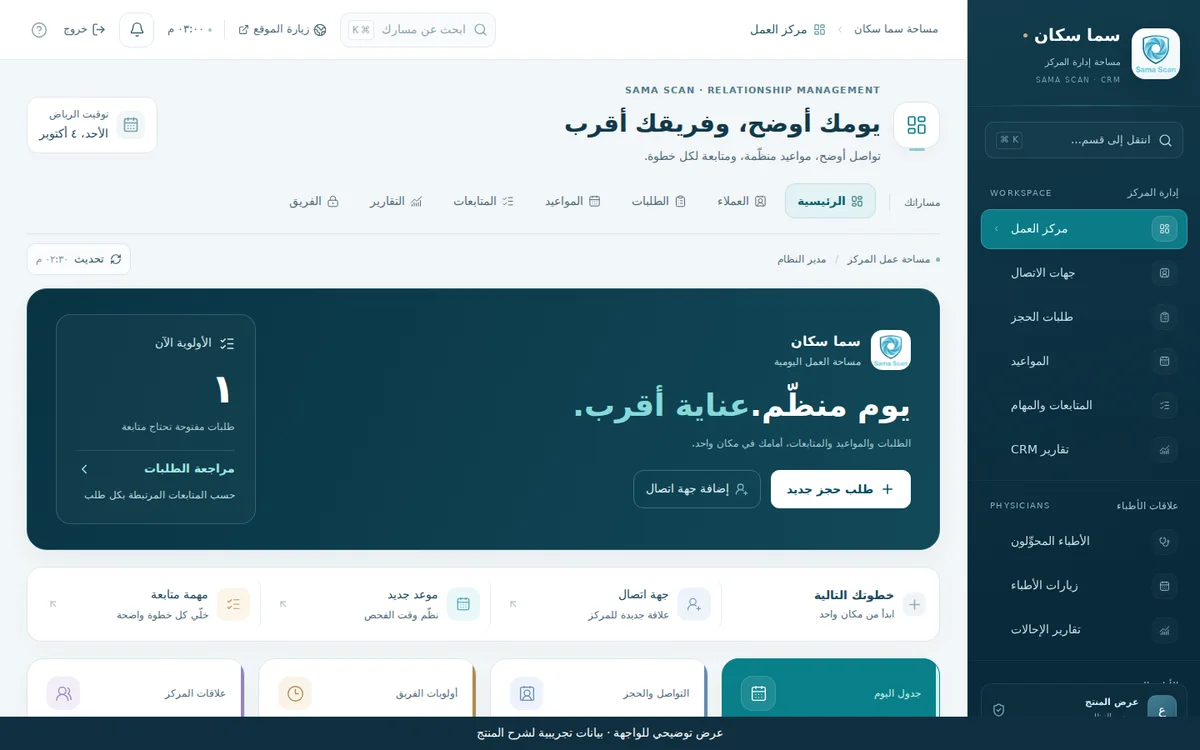
01 / WHY THIS PRODUCT
One connected request record. A clear next step for the team.
A website request may be scheduled and followed up through several channels. A connected record helps staff see its owner and next action, and distinguish a pending request from a confirmed appointment.
- 01Examination request arrives
- 02Reception reviews it
- 03Appointment is arranged
- 04Attendance and follow-up are recorded
02 / INSIDE THE PRODUCT
See how the work connects.
Choose a view to inspect the interface and its role in the workflow. All images use demonstration data.
Start with the work that needs attention.
The opening view brings open requests, appointments, and urgent tasks together. Reception can move into a request or task from this starting point.
- Daily request and task summary
- Direct navigation across operations
- A separate physician-relationships area
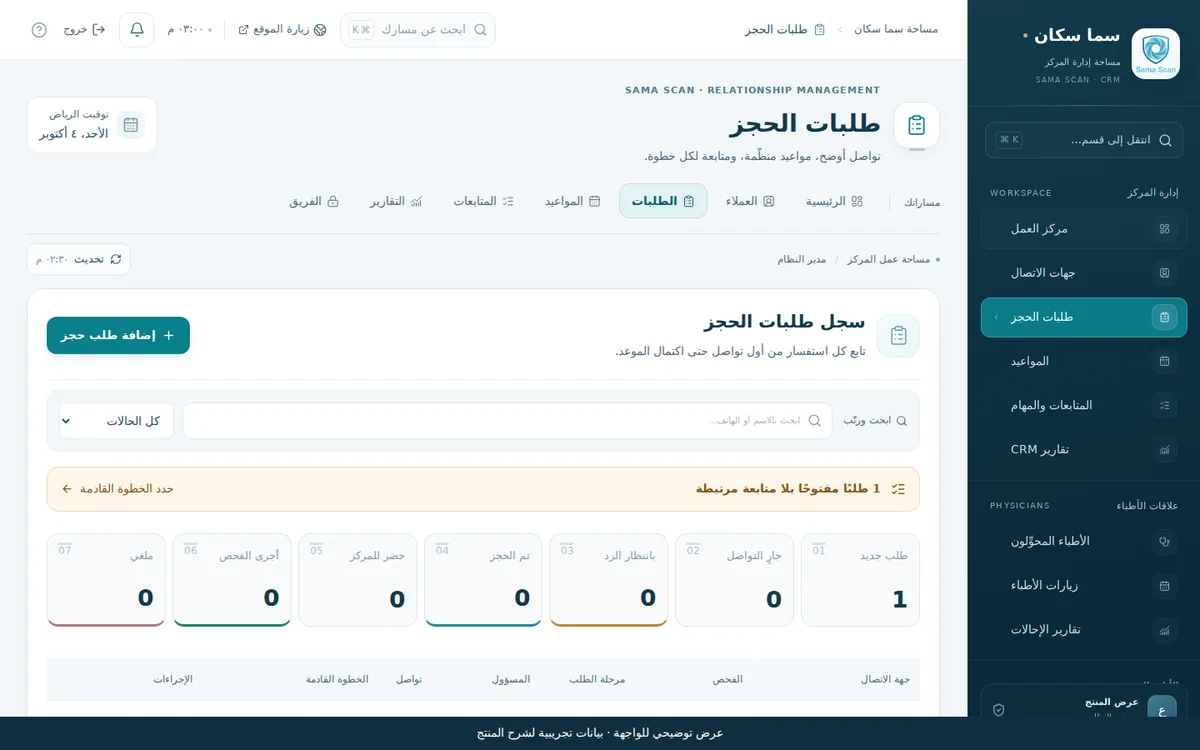
Inspect the full interfaceA request keeps its context after first contact.
The request list shows examination, source, stage, owner, and next action. A website submission remains a request for reception review; appointment confirmation is a separate workflow step.
- Stage, source, and owner filters
- Request and follow-up share context
- Coordinated booking with staff confirmation
 Inspect the full interface
03 / PRODUCT CAPABILITIES
Details that serve the workflow.
Center operations
A unified contact record
Requests connect to normalized contact records, with archiving and reactivation when needed.
Owned, staged requests
Examination type, source, stage, and owner stay together so a task retains its context.
Appointment coordination
Schedule by examination resource, check conflicts, and record confirmation, attendance, or cancellation.
Timed, prioritized follow-ups
Assign tasks with due dates, priorities, and completion status, with a view of work needing attention today.
Workspaces by role
Administration, reception, and marketing roles, with an audit trail and version checks during editing.
Center relationships
Referring-physician, visit, and report modules sit alongside operational and marketing summaries.
The product's delivery stage and scope.
An implemented custom product for the center's administrative operations. The tour uses demonstration data. Google summaries include dated snapshots; the content module supports preparation and review. This scope is administrative and excludes radiology images, diagnostic reporting, and billing.
LET'S DESIGN YOUR WORKFLOW
Does your center need a clearer booking workflow?
Start with request sources, team roles, and appointment resources, then define the necessary modules and website connection.