
TAWOD / 03 / PRODUCT STUDIO
Implemented custom productTawod Command Center
Where did the opportunity start?
Where did it lead?
A custom product connecting website measurement and marketing sources with customer records, opportunities, and follow-ups. It distinguishes a contact click, a qualified opportunity, and a recorded contract.
Company managers, marketing, sales, and follow-up teams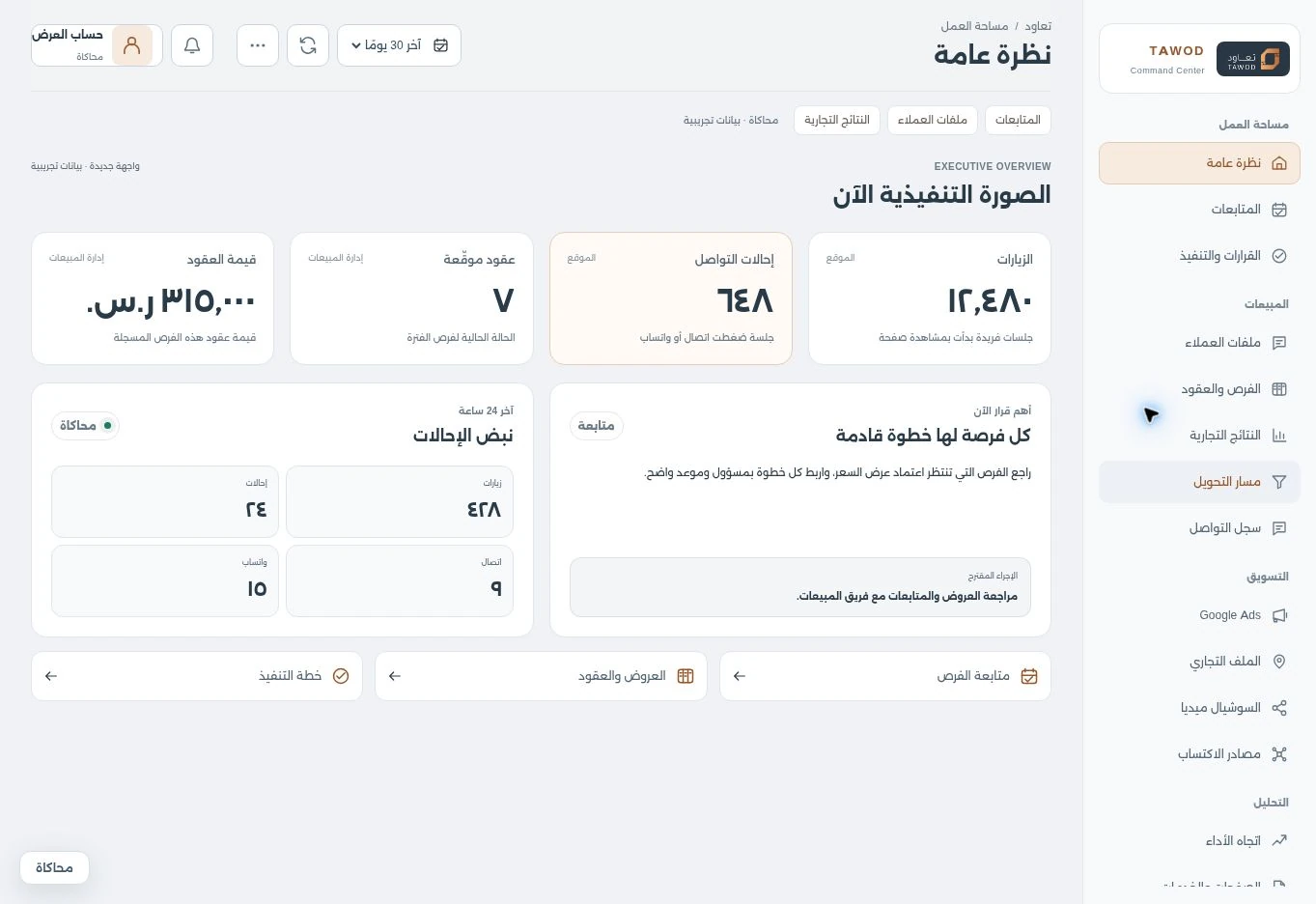
01 / WHY THIS PRODUCT
A clear source, an owned opportunity, and an explainable decision.
Click counts alone do not explain lead quality or what happened after contact. Managers need the source, status, and owner of an opportunity, alongside the freshness of the data supporting a decision.
- 01Contact referral is measured
- 02Opportunity is reviewed and qualified
- 03Follow-up and quote are recorded
- 04Outcome and source are reviewed
02 / INSIDE THE PRODUCT
See how the work connects.
Choose a view to inspect the interface and its role in the workflow. All images use demonstration data.
The full picture, in a clearer workspace.
Tawod's new interface brings visits, contact referrals and contracts together with a suggested action and follow-up pulse. Sources sit beside their metrics, keeping contact activity distinct from commercial outcomes.
- A light, organized workspace
- A clear source for each metric
- A decision linked to the next action
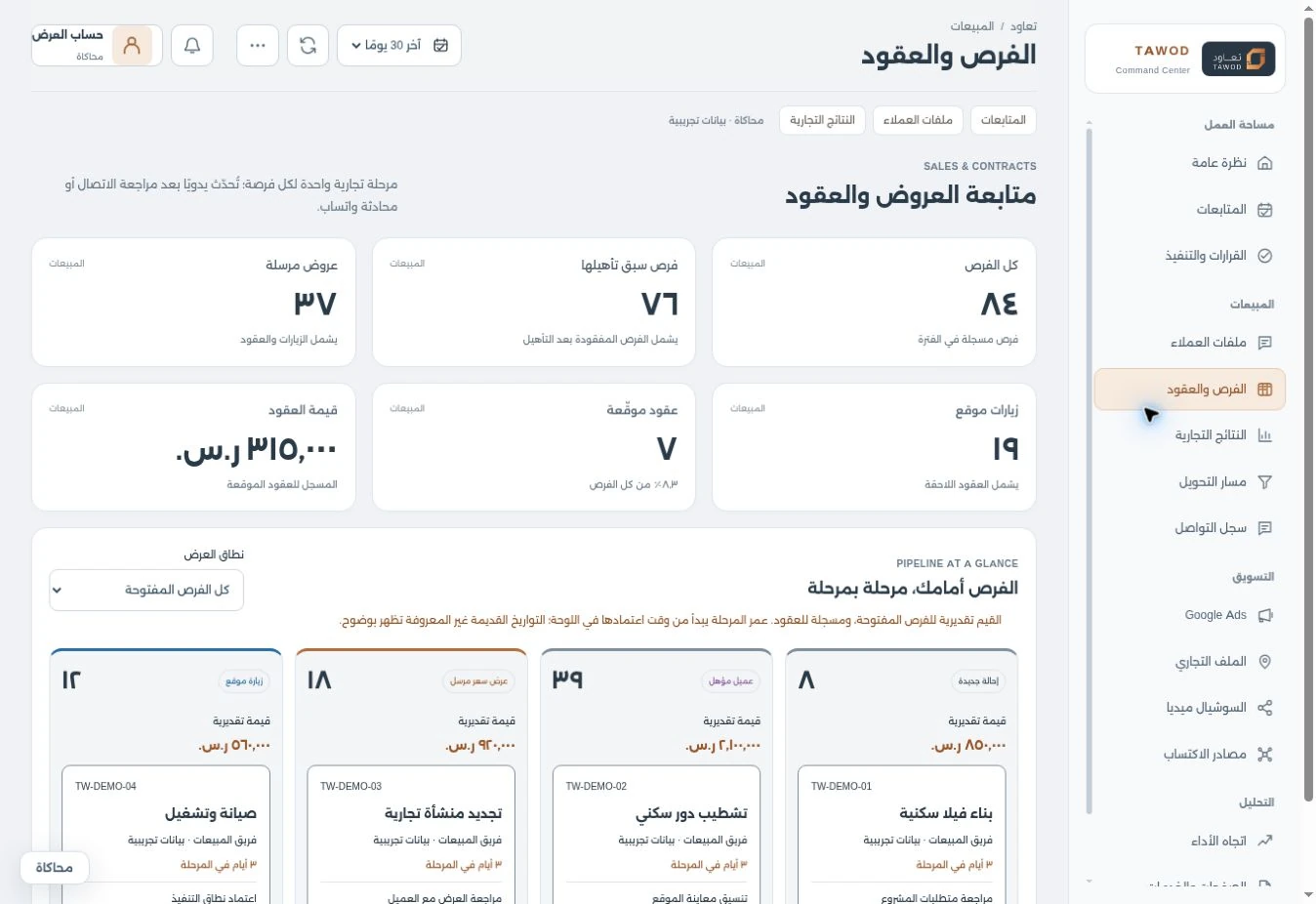
Inspect the full interfaceSee the opportunity, stage by stage.
A sales summary leads into a board for quotes and site visits. Each opportunity retains its service, owner and next action, making follow-up handovers easier for the team.
- Opportunity, quote and contract summary
- Clear sales stages for the team
- An owner and action for follow-up
 Inspect the full interface
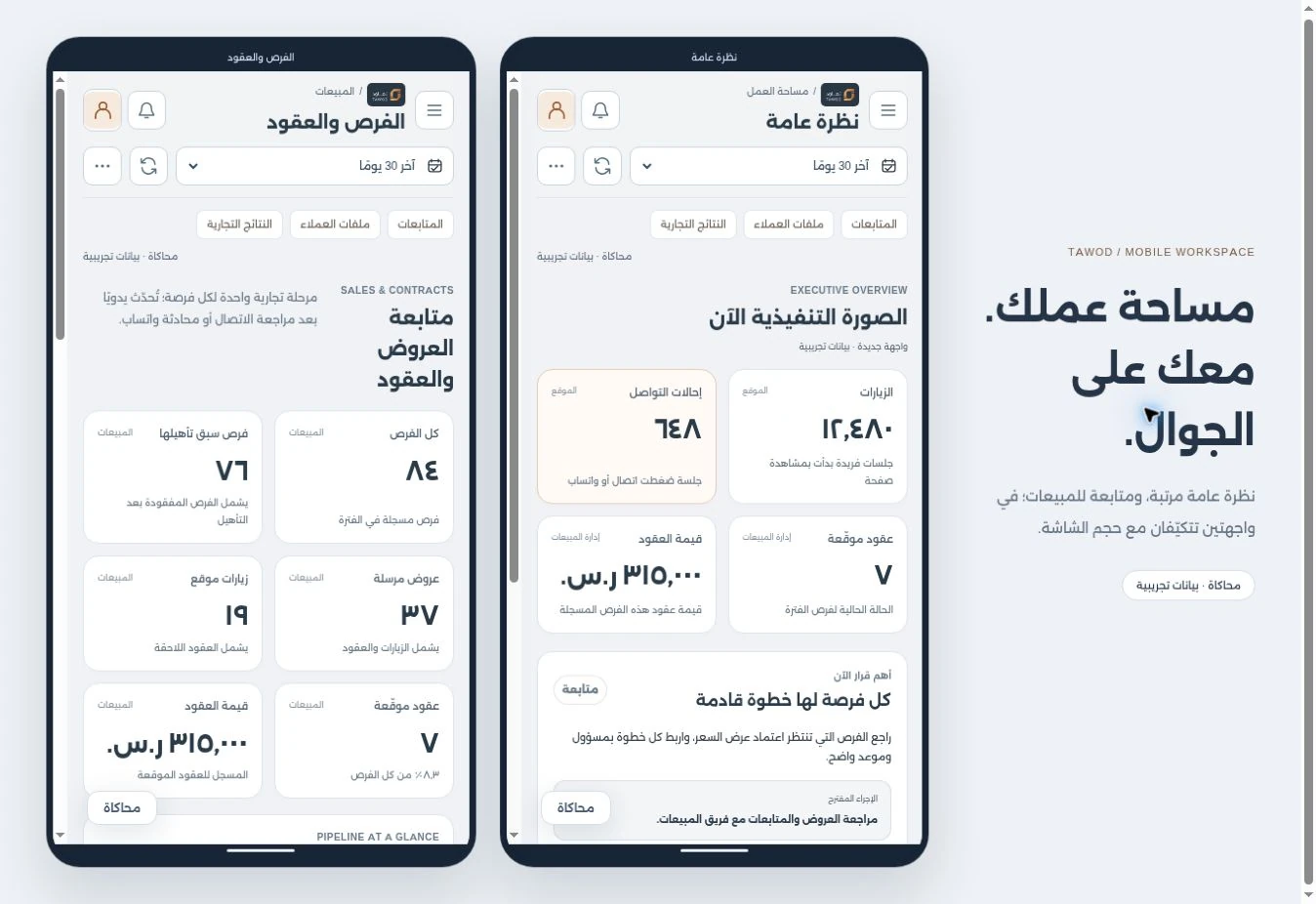
The same workspace, on your phone.
Metrics rearrange into cards for smaller screens, while the overview and sales retain separate sections. Inspect both mobile layouts, then enlarge the image to read the details.
- Cards that adapt to the screen
- Clear mobile sections
- Follow-up details within reach
 Inspect the full interface
03 / PRODUCT CAPABILITIES
Details that serve the workflow.
Marketing, sales, and follow-up
Executive overview
Website, referral, and recorded commercial metrics, with decision signals and data-quality context.
Connected customer records
Relationship information, previous opportunities, and follow-ups stay in one customer context.
A practical sales pipeline
Stages from new enquiry to qualification, quote, visit, contract, or loss, with owners and next actions.
Google source modules
Google Ads and Business Profile modules identify their measurement source and sync time separately from website totals.
Measurement that separates stages
Separate call and WhatsApp referrals from received calls, qualified opportunities, and recorded contracts.
Decisions and follow-ups
Owned, dated follow-ups and evidence-linked decisions, supported by reconciliation and freshness checks.
ASK THE EXPERIENCE / 06
Ask a better question.
See the practical answer.
Six practical answers about Tawod Command Center, its workflow, connections and delivery scope.
Return to the interface tourExplore the CRM service studio01How does Tawod connect marketing and follow-up?
The workspace brings contact sources, customers, opportunities and follow-ups into one context. Owners can connect a source to its stage and next action while checking measurement origin and freshness.
02Does a WhatsApp or call click mean a customer or contract?
No. The experience separates a contact referral, a received call, a qualified opportunity and a recorded contract. Later stages depend on team follow-up records; a click alone does not establish them.
03How do Google Ads and Business Profile data enter the system?
Source modules identify measurement origin and sync time. Live connections require appropriate setup and permissions; opening the public tour does not connect a new business’s accounts.
04Can social reporting be reviewed too?
Reports support imports according to available sources. Format, refresh schedule and reconciliation are agreed so information can be reviewed without mixing different metric definitions.
05Are the tour’s figures Tawod’s actual results?
The tour uses presentation data and does not publish actual company performance or account details. Campaign evaluation requires dated account reports and separate measurement.
06How is a similar contracting system scoped?
Start with enquiry sources, services, team roles and opportunity stages. Then define website or advertising connections, follow-up and outcome records, and the information managers need for decisions.
No matching answer. Try another phrase or browse all questions.
The product's delivery stage and scope.
An implemented custom product within Tawod's digital system. The tour does not show actual business data. Google sources require the appropriate connection setup; social reports support imports according to available sources. Clicks, calls, opportunities, and contracts remain distinct metrics.
LET'S DESIGN YOUR WORKFLOW
Do enquiries arrive without a clear follow-up trail?
Define contact sources, sales stages, and follow-up ownership, then build metrics and interfaces around the team's workflow.